
Frequently Asked Questions
Everything you need to know about our WhatsApp AI chatbots, setup, security, and more
What is a WhatsApp AI chatbot?
A WhatsApp AI chatbot is an intelligent assistant that communicates with your customers through WhatsApp. Unlike basic scripted bots, our AI chatbots understand natural language, maintain conversation context, and can handle complex queries — all while integrating with your existing business systems for real-time data access.
How long does it take to set up?
Most businesses can go live in as little as one day. Our streamlined onboarding process handles the technical setup, WhatsApp Business API configuration, and initial AI training. More complex integrations with multiple business systems may take a few days longer.
Can the chatbot integrate with my existing systems?
Yes! Our chatbots integrate with virtually any system that has an API. This includes CRMs (Salesforce, HubSpot), accounting software (Xero, QuickBooks), e-commerce platforms (Shopify, WooCommerce), booking systems, Microsoft 365, Google Workspace, and any custom REST or GraphQL API.
Is my data secure?
Absolutely. We follow industry-leading security practices with end-to-end encryption, secure data storage, and full compliance with GDPR and data protection regulations. The AI never connects directly to your systems — all data flows through our secure, audited middleware layer.
What happens if the AI can't handle a query?
Our human-in-the-loop system ensures that complex or sensitive queries are seamlessly handed off to your team. Operators can jump into any conversation at any time, and the AI can be paused, resumed, or overridden as needed. You always have full control.
How much does it cost?
Pricing depends on your specific requirements, including message volume, integrations, and customisation level. We offer flexible plans for businesses of all sizes. Get in touch for a personalised quote — there's no commitment required.
Can you run your product on multiple model providers?
Yes, Bluechilli can run on a wide range of Large Language Model (LLM) providers. This flexibility allows you to choose the model that best fits your needs, budget, and compliance requirements.
Some common examples of supported model providers include:
- OpenAI (such as GPT-4, GPT-3.5)
- Google (like Gemini)
- Anthropic (Claude)
- Microsoft Azure OpenAI Service
- Mistral and other open-source models
- Self-hosted models (using platforms like Hugging Face, vLLM, or your own infrastructure)
Bluechilli's flexible architecture means you're not locked into a single AI provider. You can switch models as your requirements evolve or as better options become available.
What happens if your upstream provider changes their policies, pricing or rate limits?
If your upstream provider (such as your chosen LLM provider) changes their policies, pricing, or rate limits, this does not directly impact Bluechilli's service. Here's why:
- You pay your LLM provider directly for their services. Bluechilli does not handle billing, pricing, or subscriptions for your LLM account.
- You control your LLM account and manage your own agreements, usage limits, and pricing with your provider.
- Bluechilli operates independently of your provider's terms, since we do not resell or manage your LLM subscription.
- Any changes, restrictions, or additional costs from your provider will be handled between you and them directly.
If you need help adjusting your LLM integration or run into issues because of provider changes, Bluechilli's support team is here to help.
Do you provide SLAs or uptime targets?
Yes, we understand how important reliability is for your business. Like most SaaS providers, Bluechilli aims to maintain high service uptime:
- We monitor our service 24/7 to minimise downtime and resolve issues quickly.
- Our goal is to maintain a high level of uptime in line with industry standards for SaaS platforms.
- In the rare event of planned maintenance or an outage, we work to notify affected customers as early as possible.
Please note: while we strive for excellent uptime, occasional interruptions can occur due to factors outside our control, such as third-party provider outages. If you have specific uptime requirements, please get in touch to discuss your needs.
How do you manage uptime, monitoring, and reliability?
Bluechilli takes uptime, monitoring, and reliability very seriously to ensure your WhatsApp chatbot services are always available and performing well.
We use a suite of custom-built monitoring tools that provide 24/7 monitoring, detailed logging, and real-time alerts. These tools continuously check the health of our systems, track conversation performance, and provide visibility available to our clients.
In addition to our own tools, we use industry-standard monitoring and reliability solutions provided by our hosting partners. This ensures multiple layers of oversight and fast detection of any issues.
If any problem is detected, our team is alerted immediately and can respond quickly to maintain high service availability. You can trust Bluechilli to deliver a reliable, always-on WhatsApp experience, backed by robust monitoring and fast support.
Where is your platform hosted and where is data stored?
Bluechilli's services and all data we retain are securely hosted in the United Kingdom, using AWS's Europe (London) region (eu-west-2). This means your business data stays within the UK.
For extra peace of mind: we do not move or store your retained data outside the UK. However, please note:
- WhatsApp messages are processed through Meta's infrastructure and may be handled in other regions as part of WhatsApp's global network.
- AI responses use a third-party Large Language Model (LLM) provider. Depending on the provider, message data sent for AI processing may be handled outside the UK.
We are committed to following UK data protection standards and keeping your data secure. If you need more details or have specific data residency requirements, please get in touch.
How does Bluechilli connect to WhatsApp?
Bluechilli connects to WhatsApp by securely integrating with the official Meta (WhatsApp) Business API. Here's how it works:
- You keep full ownership and control of your Meta and WhatsApp Business accounts at all times.
- If you don't have a WhatsApp Business Account (WABA) yet, Bluechilli can help you set one up.
- Add Bluechilli as a partner — this simply gives us permission to integrate, but you stay in charge of your account.
- Bluechilli uses the official Meta API to connect your WhatsApp Business Account to our platform, allowing us to send and receive messages on your behalf.
- We configure secure webhooks so that customer messages are instantly delivered to Bluechilli for processing.
- When a message arrives, our AI processes it using your business's information, conversation history, and any connected systems to generate the best response.
Your data and conversations remain private and secure. Bluechilli never takes ownership of your accounts or data. You don't need any technical knowledge — just add Bluechilli as a partner, and we'll handle the setup and configuration for you.
What happens if we want to leave Bluechilli and move providers?
If you ever decide to leave Bluechilli and move to another provider, we'll make the transition straightforward and safe. You won't be locked in — everything we've built for you belongs to you.
You'll receive a complete export of:
- The full underlying prompts we built and used to power your agent(s), including any business rules, tone, and guardrails.
- All stored data, such as raw WhatsApp conversation history, user/customer details, and stats, message logs, and processing/audit logs.
- Any knowledge or data you uploaded, provided as raw source files/content (documents, FAQs, menus, policies, product lists, etc.).
- Your WhatsApp phone number(s) — you keep them. We can help coordinate the handover so your WhatsApp Business Account (WABA) setup continues smoothly.
After you confirm the migration is complete, Bluechilli will securely and permanently delete your data from our systems and confirm the deletion in writing.
Are prompts or responses stored, and if so, for how long?
Yes, both prompts and responses are stored by Bluechilli, but how long they are kept is completely configurable by you as the client. You can choose to store messages for as long or as short a period as you need.
Keeping a history of previous conversations helps the chatbot provide more personalised and accurate responses over time. If your business has specific data retention policies, we can adjust storage settings to meet your compliance requirements.
Are you aligned with any security standards?
Yes, Bluechilli is committed to maintaining the highest standards of security for your business and customers. We are working towards alignment with ISO 27001 and ISO 42001.
To ensure ongoing protection, we regularly:
- Conduct independent penetration testing to identify and address any potential vulnerabilities.
- Perform comprehensive security audits on our systems and processes.
- Follow industry-recommended guidelines for data handling and privacy.
Your data's safety is our top priority. We continuously invest in security improvements so you can trust Bluechilli to keep your information protected. If you have specific security requirements or questions, please let us know — we're happy to share more about our practices.
Can we export prompts and data?
Yes, you can export all your data from Bluechilli through the Bluechilli admin area. This includes:
- Custom prompts used for your AI agents.
- Raw conversation histories with your users.
- User WhatsApp details (such as phone numbers and profile information).
- All other related data linked to your WhatsApp chatbot activities.
You have full access and control over your data — nothing is locked in or hidden. Simply log in to the Bluechilli admin area and use the export options to download everything you need. If you have specific data export requirements or need help with the export process, our support team is always ready to assist.
Do you have your own safety, audit and validation layers?
Yes. Bluechilli provides multiple layers of safety, audit, and validation on top of any safeguards offered by the underlying AI model provider. We do not rely solely on the model's built-in protections.
Here's how Bluechilli ensures your business conversations are protected and compliant:
- Customisable Safety Filters: Bluechilli uses advanced filtering and validation tools that can be fully tailored to your company's needs, brand voice, and compliance requirements.
- Pre-Processing Controls: Messages are scanned and checked before being shared with LLM providers, ensuring only safe and appropriate content is processed.
- Post-Processing Validation: Outgoing replies from the AI can be reviewed, validated, and filtered before they are delivered to users.
- Comprehensive Audit Trails: Every message and action is logged, providing a clear audit trail for compliance, monitoring, and review purposes.
- Adaptable to Your Policies: All safety and validation rules can be fully customised to match your business's specific requirements and industry regulations.
Bluechilli's layered approach means you stay in control of your data security and compliance, while benefiting from the power of AI. If you have special requirements, our team can work with you to configure the right protections.
How is portal access secured?
Portal access on Bluechilli is secured using a One-Time Password (OTP) sent to your registered email address. When you attempt to log in to the portal, we send a unique OTP to your email, offering a strong balance between security and convenience:
- No password to remember: Simply enter the OTP from your email — no need to manage or remember complex passwords.
- Single-use and time-limited: Each OTP is valid for only one login session and expires after a short period for extra safety.
- Protection for your business: Even if someone knows your email address, they cannot access the portal without the latest OTP.
If you have questions about portal security or would like to discuss additional authentication options, please reach out to our support team.
What models do you use and who processes the data?
Bluechilli gives you full control over which AI models power your WhatsApp chatbot experience. You can choose from a wide range of Large Language Models (LLMs), including self-hosted models.
Data processing is handled both by Bluechilli and the LLM you select:
- Bluechilli securely processes incoming and outgoing messages as part of our platform operations. We store and manage your conversation data to deliver features like history, analytics, and integrations.
- When a message requires an AI response, Bluechilli sends the relevant information to your chosen model. For cloud-based LLMs, your data is sent to and processed by that provider's infrastructure.
Bluechilli never sells or shares your data. You control where and how your customer data is processed by choosing your LLM provider. To summarise:
- You choose which LLM provider to use (cloud-based or self-hosted).
- Bluechilli processes and manages your data as part of delivering and enhancing your chatbot service.
- AI model processing happens with your selected provider, either in the cloud or on your own systems.
- Self-hosted options are available for businesses with strict privacy or compliance requirements.
If you have particular data handling needs or need advice on choosing the right model, our team is here to help.
Don't Just Take Our Word For It
Meet Blu, our WhatsApp-based sales assistant. Chat with him now to discover what an intelligent chatbot could do for your business — and experience the power of Bluechilli firsthand.
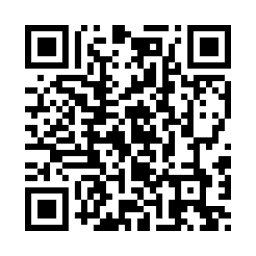
Available 24/7 • Instant responses • No commitment required